Plan a trip, a renovation or a side project with an AI agent
Personal projects rarely stall for lack of ideas. They stall because the plan lives in ten places and nobody keeps track of what was decided. This guide shows how to give an AI agent one project with its context, with three worked examples: a trip, a kitchen renovation and a family photo archive.
Why a general chat is not enough
You can ask any chatbot to plan a trip, and the first answer is often decent. The trouble starts on day ten, when you have booked two hotels, dropped a city and changed the budget. The chatbot knows none of it unless you paste it all again.
A personal project needs the same three things as a work project:
- one place for the goal, the constraints and the decisions;
- tasks with dates, so you can see what is next and what is late;
- an agent that reads that place before it answers, instead of starting from zero.
This guide sets that up, first in general terms, then in Pandore.
Set up the project
Whatever tool you use, start with a short context in plain words. Five lines are enough:
- Goal: what "done" looks like.
- Constraints: budget, dates, people involved, hard limits.
- Preferences: pace, style, what matters most.
- Decisions so far: what is settled and should not be reopened.
- Open questions: what you still need to decide.
Add a folder for the files and a task list with due dates, and you have a project an agent can work with.
In Pandore, personal projects live in the Personal space. When you set up Pandore, it asks what you use it for: My business, My projects or Both. With My projects, clients, pipeline and finances are hidden. With Both, a switch at the top of the sidebar moves between Business and Personal. You can change this later in the settings, and nothing is deleted.
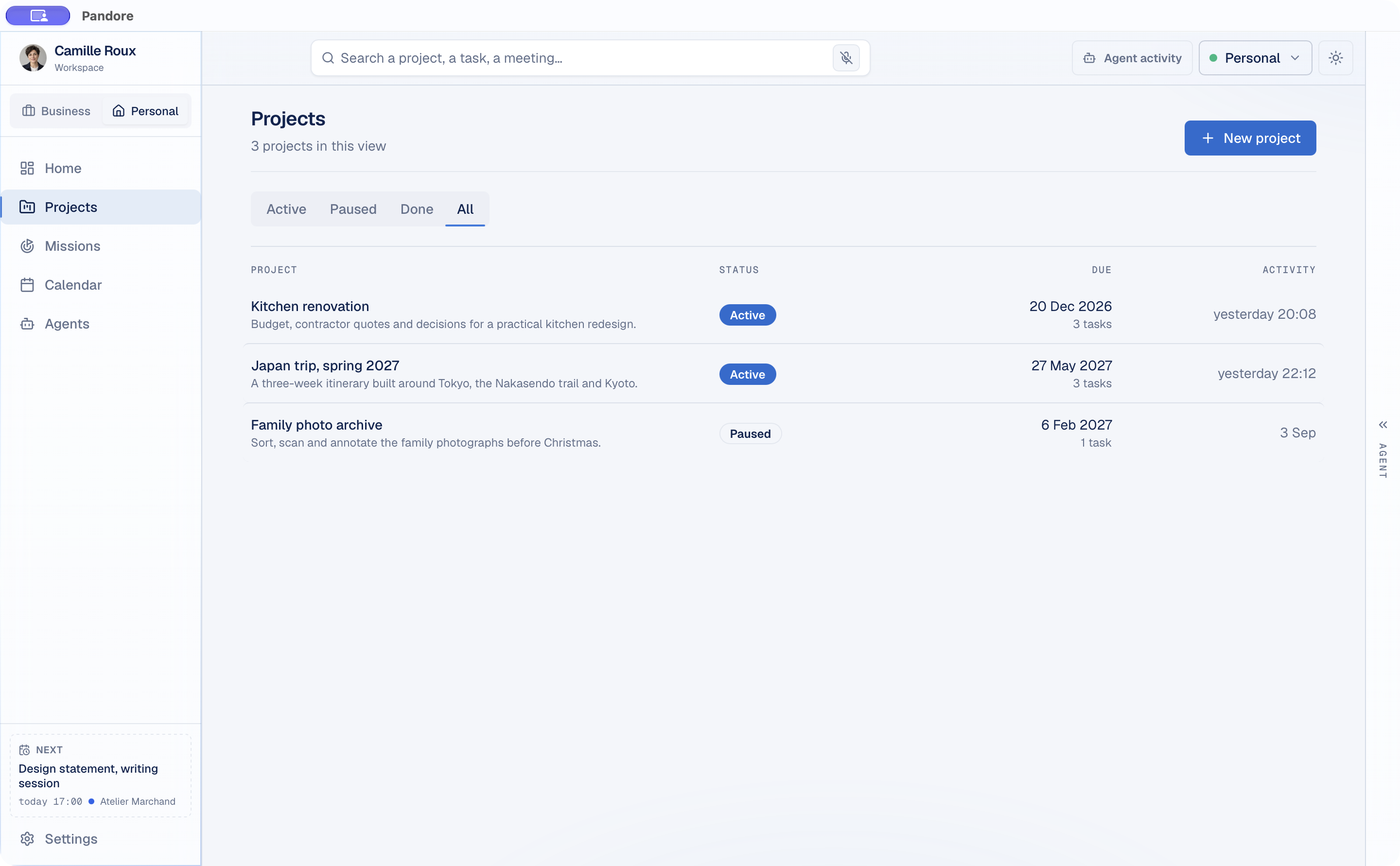
Create a project with a name, a due date and a short description. Give it a working folder on your disk, and paste your five-line context into the project's context for agents. If you leave that field empty, Pandore drafts it from the project's folders.
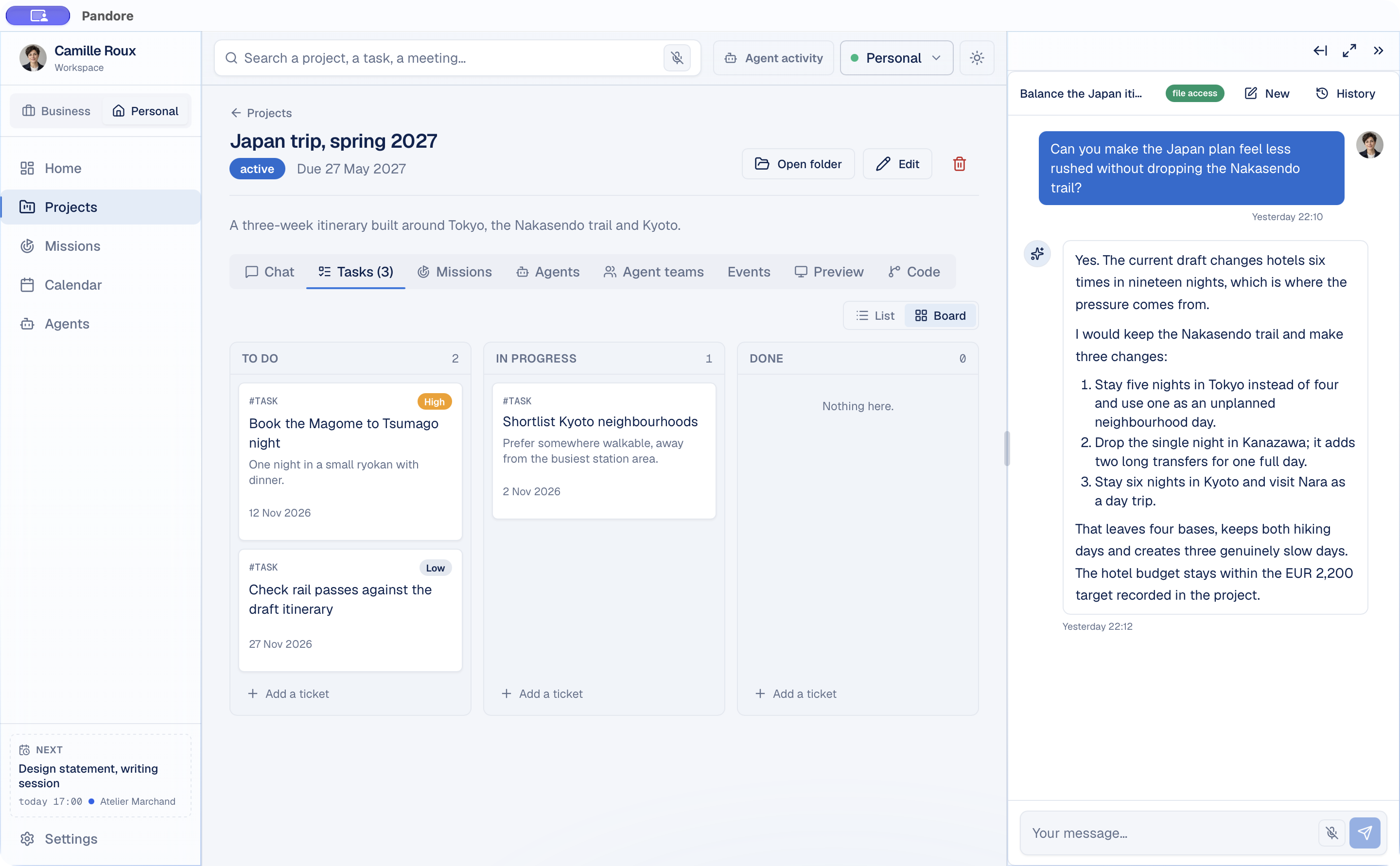
The Tasks tab shows tasks as a list or as a board with three columns: To do, In progress and Done. Each task can carry a priority and a due date, and on the board overdue tasks come first.
Ask the agent with the project context
Open a project and the agent panel follows you: the chat now talks about this project. It receives the project's description, its context for agents, its confirmed memory, its open tasks and its due date, so your questions can stay short.
When the project has a working folder, a remote agent (Claude Code, Codex or Gemini CLI, with your own account) can also open the files in it.
The agent does more than answer. It can propose a new task, a status change on an existing task, or a calendar event, each as a card in the conversation. Nothing is added until you click, and one answer proposes six items at most.
Three habits make the answers better:
- Point to the constraints ("within the budget in the context") instead of restating them.
- Ask for options with trade-offs when the decision is yours, not for a single answer.
- Ask what is missing. "What do I still need to decide before booking?" is often the most useful question of all.
Example: a three-week trip
Say you are planning three weeks in Japan in spring. Your context gives the arrival and departure dates, a nightly hotel budget, a preference for a slow pace, and one thing you will not drop: a day on the Nakasendo trail.
Useful requests:
- "Make the plan feel less rushed without dropping the Nakasendo trail." A good answer finds where the pressure comes from, such as too many hotel changes, and proposes fewer bases.
- "Turn the bookings into tasks, with the ones that sell out first at high priority." You get task cards to accept or skip.
- "Add a reminder the day before each booking deadline." These come back as calendar event cards.
If web search is on in Settings › AI (Claude Code only for now), the agent can read public pages. Still check opening days, timetables and prices on official sources before paying for anything. A model can sound sure and be out of date at the same time.
Example: a kitchen renovation budget and quotes
A renovation is mostly documents: quotes, measurements, photos and a budget that keeps moving. Keep them all in the project folder.
To add quotes as they arrive, save them in the project folder. An agent working in the folder opens them from there, and Claude Code reads PDFs and images.
Then ask for the comparisons nobody enjoys doing by hand:
- "Compare the three quotes line by line in a table: what each includes, what each leaves out, and the assumptions behind each price."
- "List what quote B includes that the others do not mention, such as removing the old units or electrical work."
- "Draft the questions I should send each contractor before choosing."
Say your context sets a budget of 15,000 euros. Ask the agent which quotes fit and why, but recompute the totals yourself: a language model can misread or misadd figures, and a renovation budget is the wrong place to find out. Structural, electrical and regulatory questions belong to professionals.
Decisions made along the way, such as "induction hob, no gas", are what an agent should not have to rediscover. Pandore keeps durable facts like these in the project's memory, drawn from your conversations and your agents' work, and the Memory tab lets you correct, pin or forget each one. The guide on project memory for AI agents explains how that context is used.
Example: a family photo archive
Say you want to sort, name and caption a box of scanned family photos before Christmas. The folder holds the scans. The context says who is who and roughly which years they cover.
Useful requests:
- "Propose a folder structure and a file naming scheme, by year and event."
- "Create an index file listing each scan with a proposed date and caption, marked 'to confirm'."
- "Which scans look like duplicates?"
Watch the permission level in Settings › AI. Read and edit files lets the agent create and edit files such as the index, but commands stay blocked. Renaming hundreds of files is a job for a script, and scripts need Read, edit and run, a level that also lets the agent delete files. Work on a copy of the archive, never on the only one.
Photos are also a privacy question. To look at an image, the agent sends it to its provider. Decide which scans you are comfortable sending, or keep the agent on text only: names, dates and notes you type yourself.
For a side project, a Mission can take on more of the groundwork: describe a goal such as "turn my idea for a recipe-sharing app into a project with a first version and a task list", approve the plan, and follow the work. The guide on delegating a goal with Missions walks through it.
Keep personal separate from work
If you use Pandore for both, the separation works at several levels:
- Lists: the Business side does not show personal projects, and the Personal side shows no clients, invoices or pipeline.
- Missions: a personal Mission cannot read professional data, and a professional Mission cannot read personal data. This is the strictest boundary.
- Shared on purpose: the calendar and the agents are common to both sides. The chat panel also keeps an overview of your whole workspace, so you can ask whether a work deadline falls in the middle of your trip.
Your workspace data is one local file on your computer, and your project files stay in their folders. Pandore has no account and no server of its own. When a remote agent answers, what you send goes to that agent's provider, under your own account.
Use a local model for private notes
Some notes should not leave your computer at all: health, money, family matters. For those, use a local model.
In Settings › AI, choose between Remote, Local and Both:
- Local: the chat is answered by a model running on your computer. Pandore's library shows your processor and memory and recommends models that fit. Gemma 3 4B, which the catalog recommends for 8 GB of memory, handles summaries, rewriting and simple planning.
- Both: Pandore routes each request. Simple or sensitive requests stay local, and tasks that need tools or more capacity go to the remote agent.
Know the limits. Local models answer in the chat. They do not open or edit files in the project folder, and they do not see images. Automatic routing looks for signals in your wording, so for a note that must stay on your computer, switch to Local rather than rely on it. The local LLM page shows how to get started.