Project context
The Mission begins in the right Personal or Professional project, not in an empty chat.
Pandore Missions
From one goal to an approved plan, controlled execution, review and deliverables.
Pandore Missions gives Claude Code the project context you allow, while keeping every planned step and sensitive action visible.
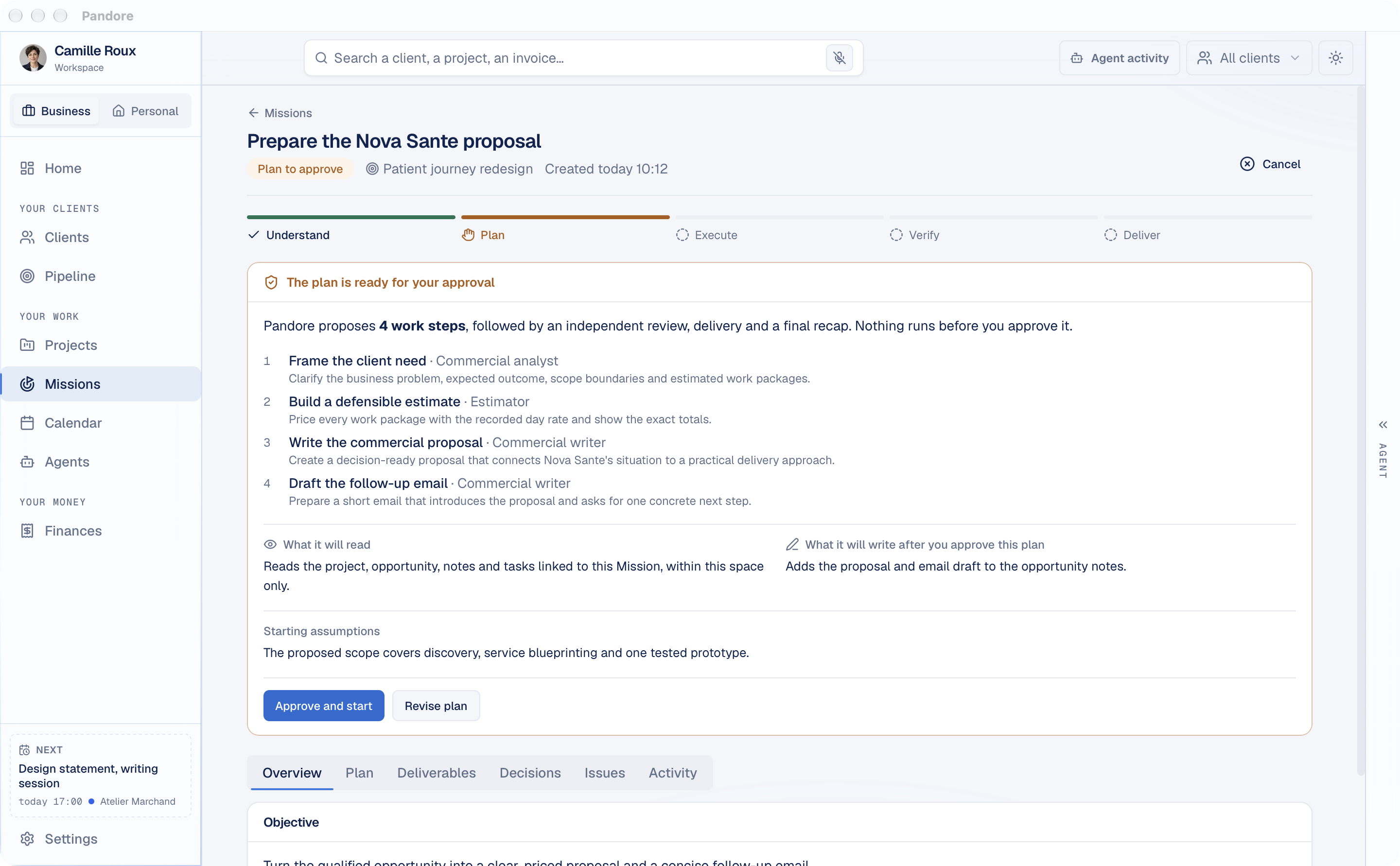
A controlled workflow
A chat assistant waits for prompts. A Pandore Mission starts from an outcome. It reads only the context you approve, proposes a sequence of work, and waits for your decision before it begins.
The Mission then keeps execution, verification, decisions, issues and deliverables together. You can pause it, revise the plan or stop it at any time.
Start with the result you want in your Personal or Professional space.
See every work step, the context it will read and what it expects to write.
Watch progress from understanding through planning, execution and review.
Approve sensitive actions precisely. Pause, revise or cancel when needed.
Find results, decisions, issues and the activity history inside the Mission.
Your agent, your project
Missions run with the Claude Code installed on your computer, using your own account. The active project folder, its tasks and the context you authorize stay close to the session. Codex, Gemini CLI and local models work across the rest of Pandore.
New to Missions? Follow the step-by-step guide.
Choose Remote, Local or Both in Settings. Pandore can route each request while keeping your projects, Missions and deliverables organized in the same workspace.
The Mission begins in the right Personal or Professional project, not in an empty chat.
Planned writes and sensitive actions remain visible before they happen.
Progress, decisions, issues and deliverables remain available after the run.

Use AI where the work, context and decisions already live.
Version 0.9.0 · free · macOS and Windows