01
THINK
Think with the full project in view.
The agent opens beside the work itself. It can use the active project, its tasks, documents and prior conversations, so you do not have to rebuild context in every prompt.
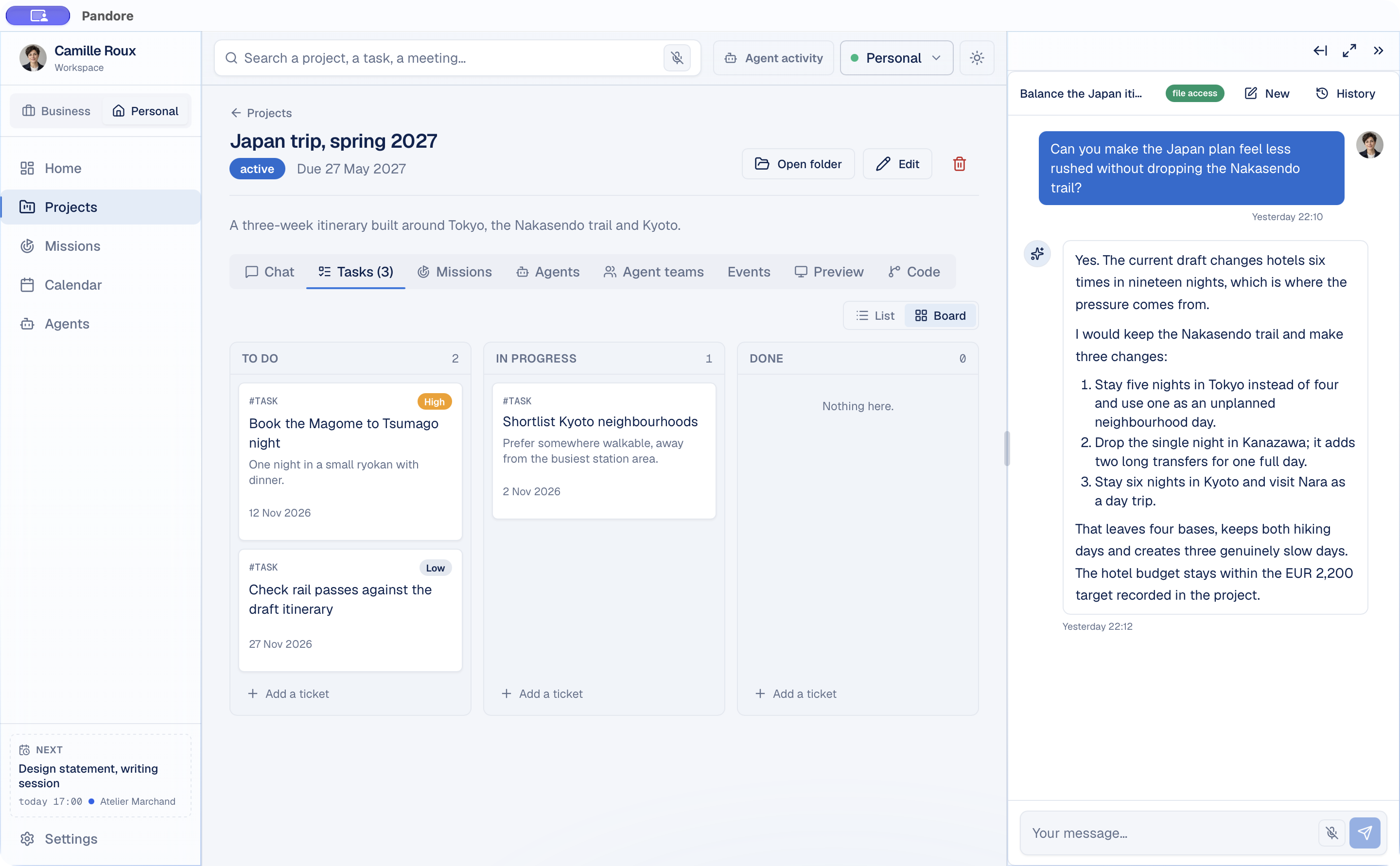
One place to think, organize and get things done.
Your projects, documents, tools and AI. Brought together in one intelligent workspace, designed for your personal and professional life.

Why Pandore
Your projects in one app. Documents in another. Conversations somewhere else. And an AI that asks you to explain everything again.
Pandore brings useful context into one workspace, so it is easier to move from information to action.
One connected workspace
Think with the right context, organize personal and professional projects, then move the next step forward with AI inside the workspace.
THINK
The agent opens beside the work itself. It can use the active project, its tasks, documents and prior conversations, so you do not have to rebuild context in every prompt.
ORGANIZE
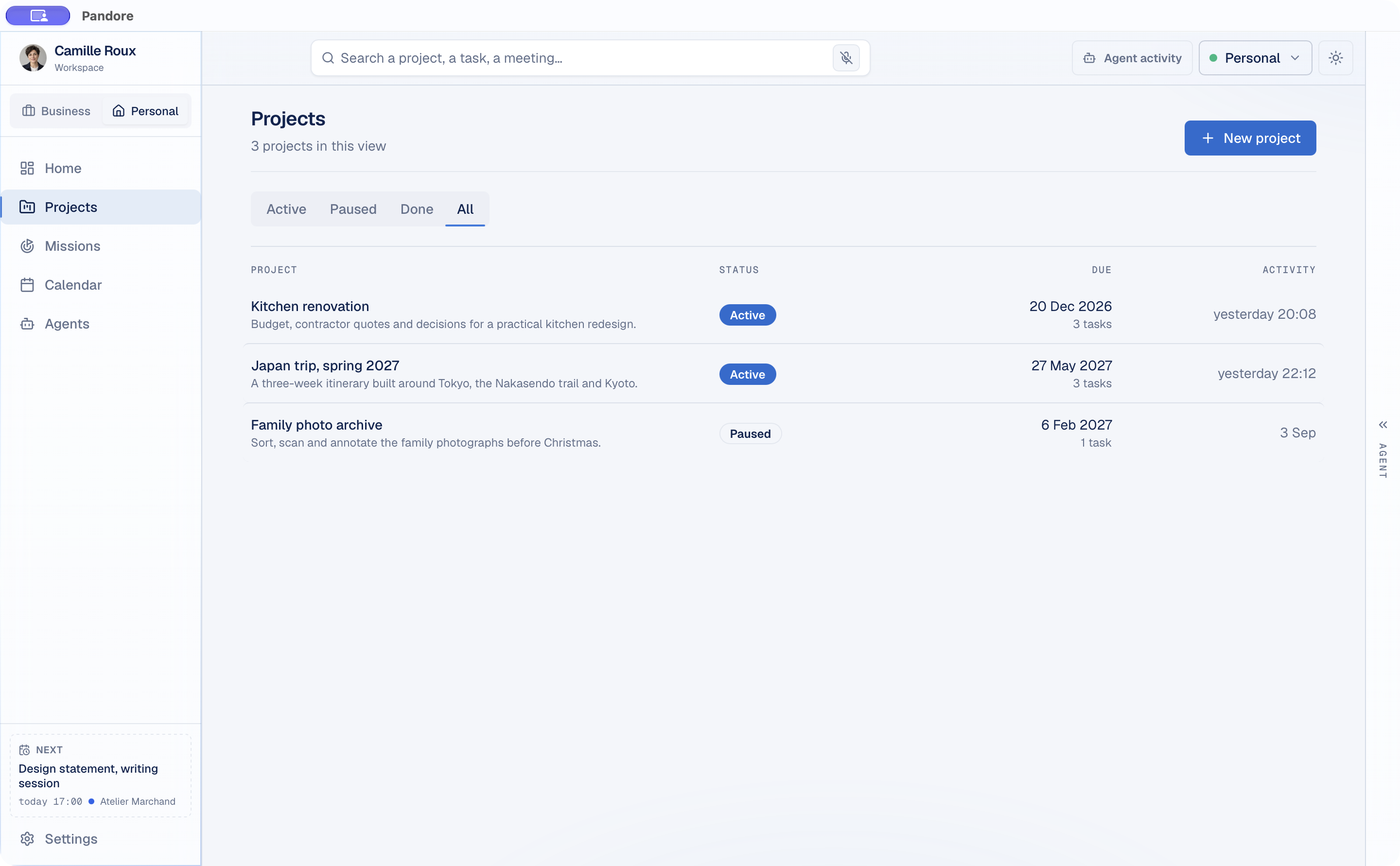
Plan a trip, renovate a kitchen or manage client delivery in the same app. Each space keeps its own projects and context, while the workflow stays familiar.
GET THINGS DONE
Run Claude Code, Codex or Gemini CLI in the project folder, follow its session, review what it found and continue the conversation without leaving Pandore. Claude Code on your desktop.
Discover Pandore Missions →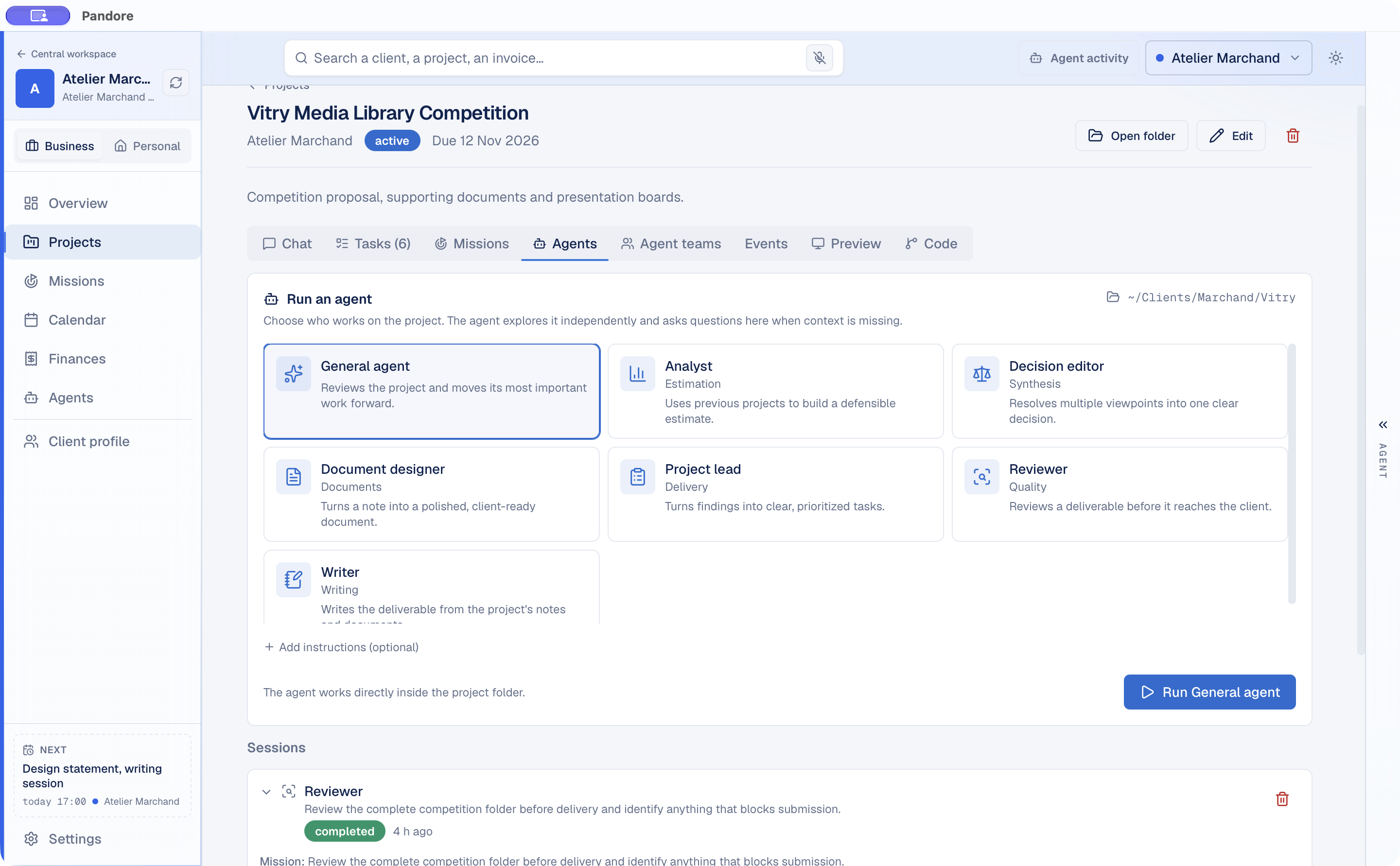
Meet Pandore Missions
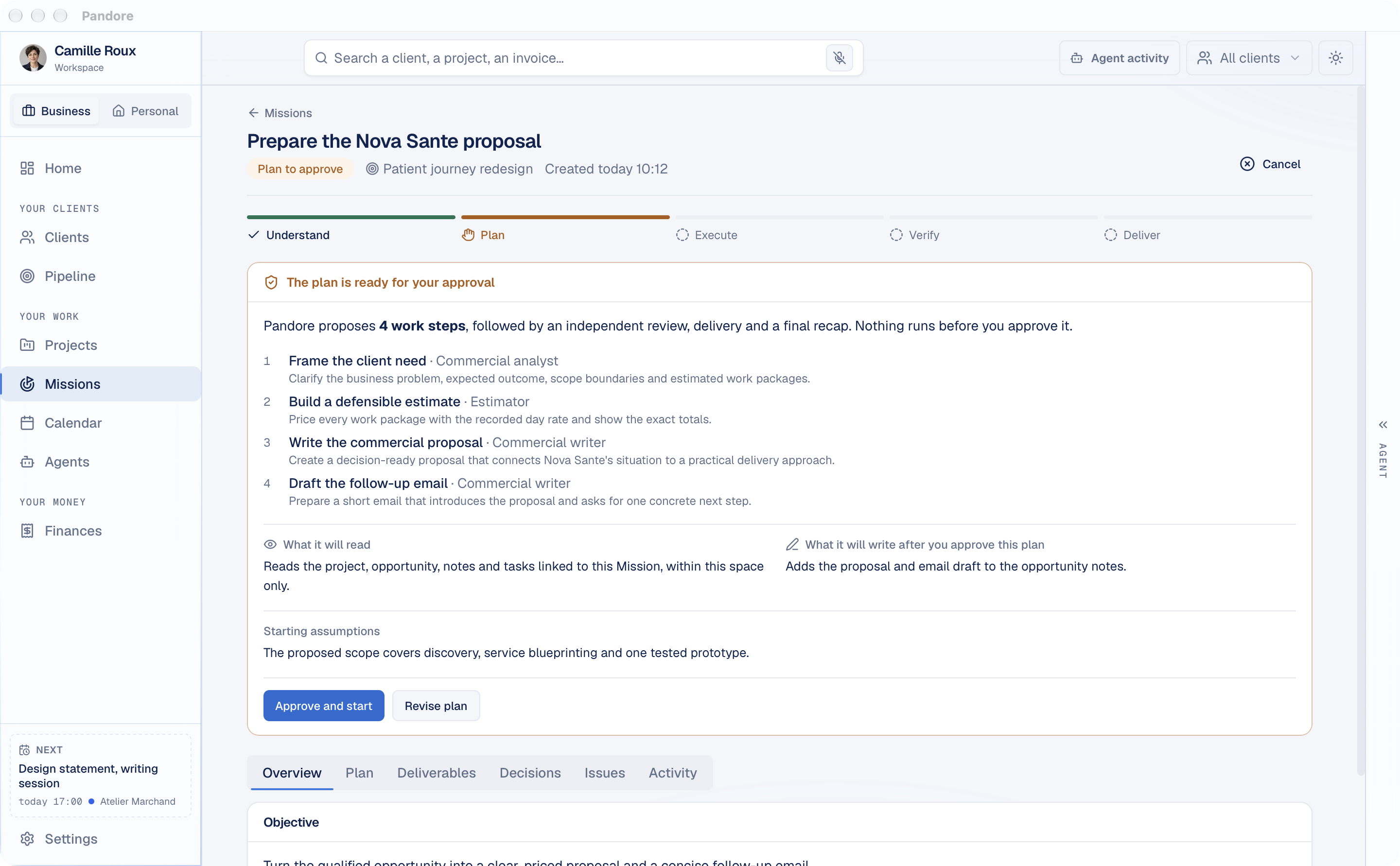
Give Pandore a goal. Missions reads the context you allow, proposes a plan, completes supported steps, and reviews the result. You approve what matters before it happens.
Claude Code, Codex, Gemini CLIsupported agents
Adjustable budgetpause at the limit
Precise approvalsfor sensitive actions
Remote or local AI
Connect Claude Code, Codex or Gemini CLI, choose from 43 downloadable local models, or let Pandore use both. The choice stays visible and under your control.
REMOTE MODELS
 Anthropic Claude Code
 OpenAI Codex
 Google Gemini CLI
LOCAL MODEL FAMILIES
 Qwen
 Gemma
 Mistral
 Phi
 Llama
 DeepSeek
 SmolLM
 Liquid
 Granite
 OLMo
Use the agents you already work with for agentic tasks, tools and larger requests.
Download a model from the built-in library. Pandore installs the runtime and keeps the selected model ready while the app is active. See the 43 local models.
In “Both” mode, Pandore can keep simple or sensitive requests local and use a remote agent when more capacity or tools are required.
Automatic routing is on. Pandore selects local or remote AI for each request based on privacy, tools, complexity and cost.
The everyday workspace
Tasks, calendar, conversations, finances, and connectors stay accessible from the same environment.
PROJECTS
Priorities, deadlines and work in progress stay attached to the right project.
CALENDAR
Meetings and deadlines stay linked to the work they belong to.
AGENT
Create a task, review a project or plan the next move with the active context.
BRIEF
Your calendar, priorities and recent agent work come together in one daily view.
CONVERSATIONS
Each project keeps its threads, decisions and follow-up close to the work.
FINANCES
Invoices, expenses and forecasts appear in Professional and stay out of Personal.
MEMORY
Pandore quietly retains useful goals, decisions and knowledge so agents can pick up where the project left off.
AI USAGE
See each model with its logo, local versus remote, and usage by agent, Mission or chat in clear charts, with tokens, runs and reported cost by project and client. Track Claude Code usage.
PROMPT QUEUE
Queue the next prompts, reorder them and move an urgent request to the front without losing your flow.
Paste your token once, and your agents search and write there for you.
 Slack (read messages)
 Gmail
 Outlook and Microsoft 365
 Fastmail
 iCloud Mail
 Proton Mail (via Bridge)
 Other email (IMAP)
 Stripe
 Notion
 Todoist
 Airtable
 Asana
 GitLab
 Sentry
Two spaces, one Pandore
Move between both spaces in the same app. Their contexts remain separate while the experience stays familiar.
PERSONAL
Organize ideas, projects, and goals with tasks, calendar, documents, agents, and Missions.
PROFESSIONAL
Find projects, clients, deals, time, invoices, and information in a space designed to move the business forward. Built for freelancers and consultants.
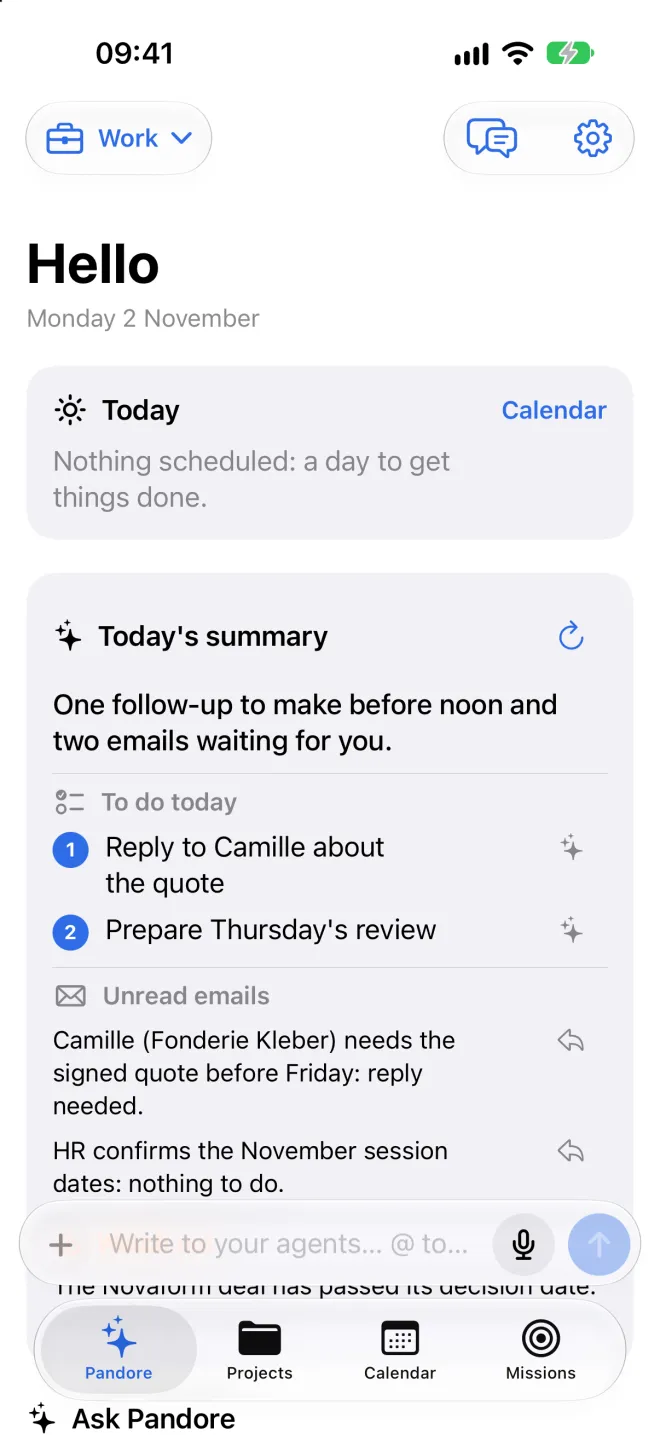
Pandore on iPhone
The iPhone app connects to the Pandore on your Mac from any network, with nothing to set up. Your projects and agents stay on your computer: you keep them moving from your phone.
Coming soon to the App Store. Your Mac stays on with Pandore open: that's where the work happens.
Privacy and control
Questions
Pandore is a local-first AI Workspace for Mac and Windows. It brings projects, information, documents, tasks, calendar, and AI agents into one environment with separate personal and professional spaces.
Describe a goal. Pandore analyzes the context you allow, proposes a plan for approval, executes supported steps with Claude Code, reviews the work, and keeps the deliverables. Sensitive actions require precise approval.
Yes. Pandore is free, with no account and no credit card.
No. You can connect Claude Code, Codex or Gemini CLI using your own provider account, or download a supported local model and run it privately on your computer. Everything else still works without AI.
Pandore supports Claude Code, Codex and Gemini CLI as remote agents, plus 43 downloadable local models from Qwen, Gemma, Mistral, Phi, Llama, DeepSeek, SmolLM, Liquid, Granite and OLMo. Choose Remote, Local or Both in Settings.
Use the Personal space. Clients, pipeline, and finances do not appear there. The Professional space stays separate, and nothing is deleted when you move between them.
An Apple Silicon Mac running macOS 11 or later, or a 64-bit PC running Windows 10 or Windows 11. Invoicing and tax settings follow French rules for now.
Yes. Pandore is signed with a Developer ID certificate and notarized by Apple. Download the DMG, drag Pandore to Applications, and open it normally.
Pandore checks the signed update feed and offers new versions inside the app. Your local data stays in place while the application is updated.

Projects, information, and artificial intelligence finally work in the same environment.
Version 0.9.0 · free · macOS 11+ Apple Silicon · Windows 10/11 x64