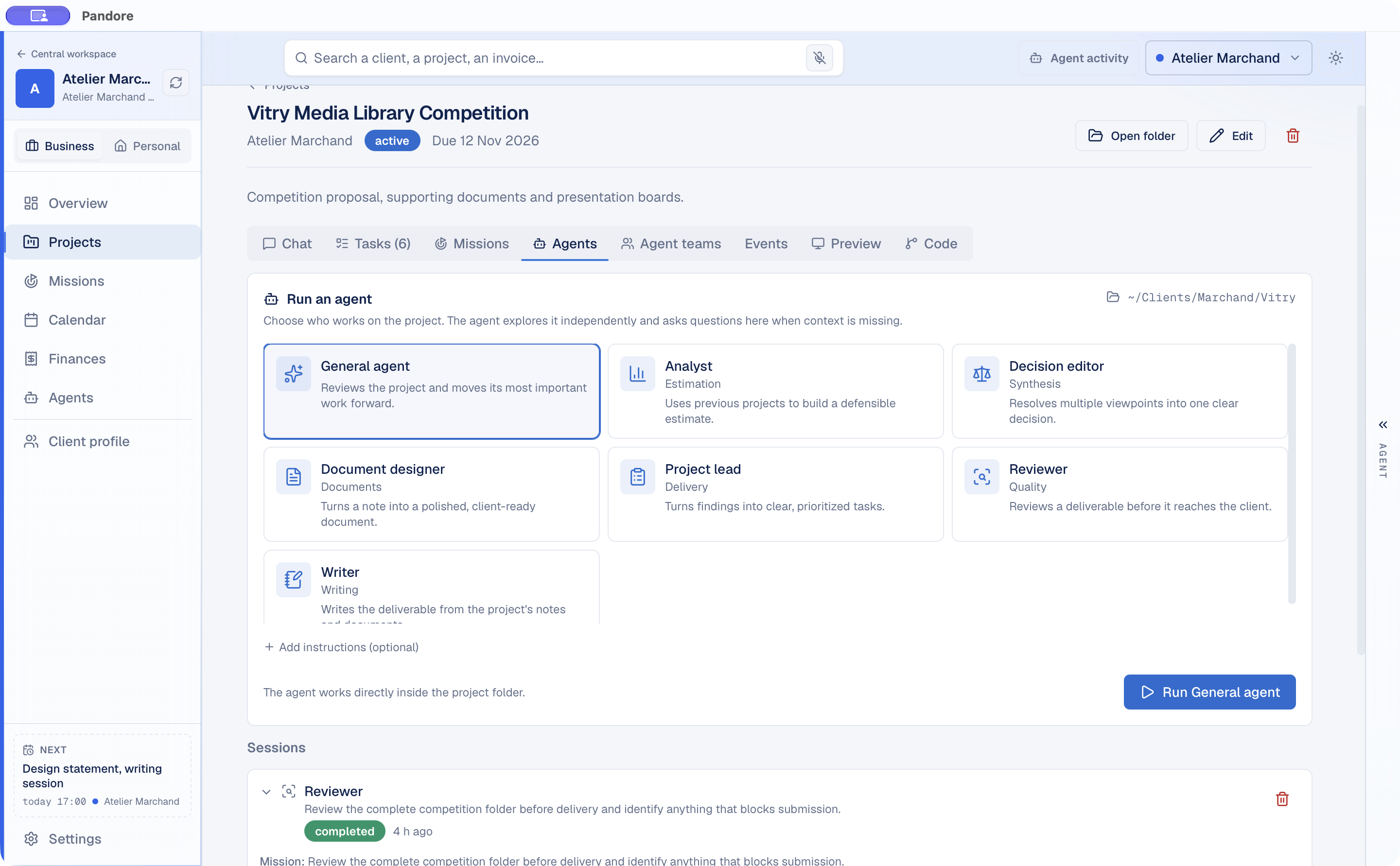
Run an agent in the project
Pick an agent such as Reviewer, Writer or Analyst, add instructions if you want, and Claude Code works directly inside the project folder.
Claude Code, on your desktop
Your projects, your agents and their sessions. In one window.
Pandore runs the Claude Code you already have inside each project folder. Start an agent from the project, follow what it does, answer its questions and keep every session next to the work it belongs to.
Claude Code is built for the terminal, and the terminal is good at one session at a time. Real work is spread across several projects, each with its own folder, documents, deadlines and history. Switching between them means finding the right folder, restoring the context and remembering what the last session did.
Pandore organizes that work by project. Each project has its folder, its tasks, its conversations and its agent sessions, and Claude Code starts in the right place every time.
Pick an agent such as Reviewer, Writer or Analyst, add instructions if you want, and Claude Code works directly inside the project folder.
See what the agent is doing while it works, read its result, and continue the conversation in the same session.
In a project chat, type @ to call one or several agents. Called together, they form a team: they answer in turn, and each one reads the previous answer.
For larger jobs, a Mission starts from an outcome instead of a prompt. Pandore proposes a plan, shows what it will read and write, and waits for your approval. Claude Code then carries out the steps, the result is reviewed, and the deliverables stay in the Mission. Sensitive actions need a precise approval, and a spending cap pauses the Mission when it is reached.
The same projects work with Codex and Gemini CLI, and with 43 local models that run on your computer through the built-in library. You choose Remote, Local or Both in Settings. Missions currently run with Claude Code.
Questions
No. Pandore launches the Claude Code installed on your computer, with your own account. It gives Claude Code a project, context and a place to keep its sessions.
No. Pandore uses your existing Claude Code setup. If Claude Code is not installed yet, Pandore can install it for you from Settings.
No. There is no Pandore server. What Claude Code reads is sent to Anthropic, exactly as when you run it in a terminal, and your workspace data stays in a local file on your computer.
An Apple Silicon Mac with macOS 11 or later, or a 64-bit PC with Windows 10 or Windows 11.

Free for Mac and Windows. Uses your own Claude Code account.
Version 0.9.0 · free · macOS 11+ Apple Silicon · Windows 10/11 x64