By model
Each model with its logo: Claude Sonnet, Claude Opus, GPT-5 Codex, or a local Qwen, Gemma or Mistral model.
AI usage
Usage and cost by project, client, agent and model. In one dashboard.
Pandore runs Claude Code inside your projects and records what each run reports: input, output and cache tokens, and the cost the CLI declares. The AI usage dashboard turns it into charts you can act on.
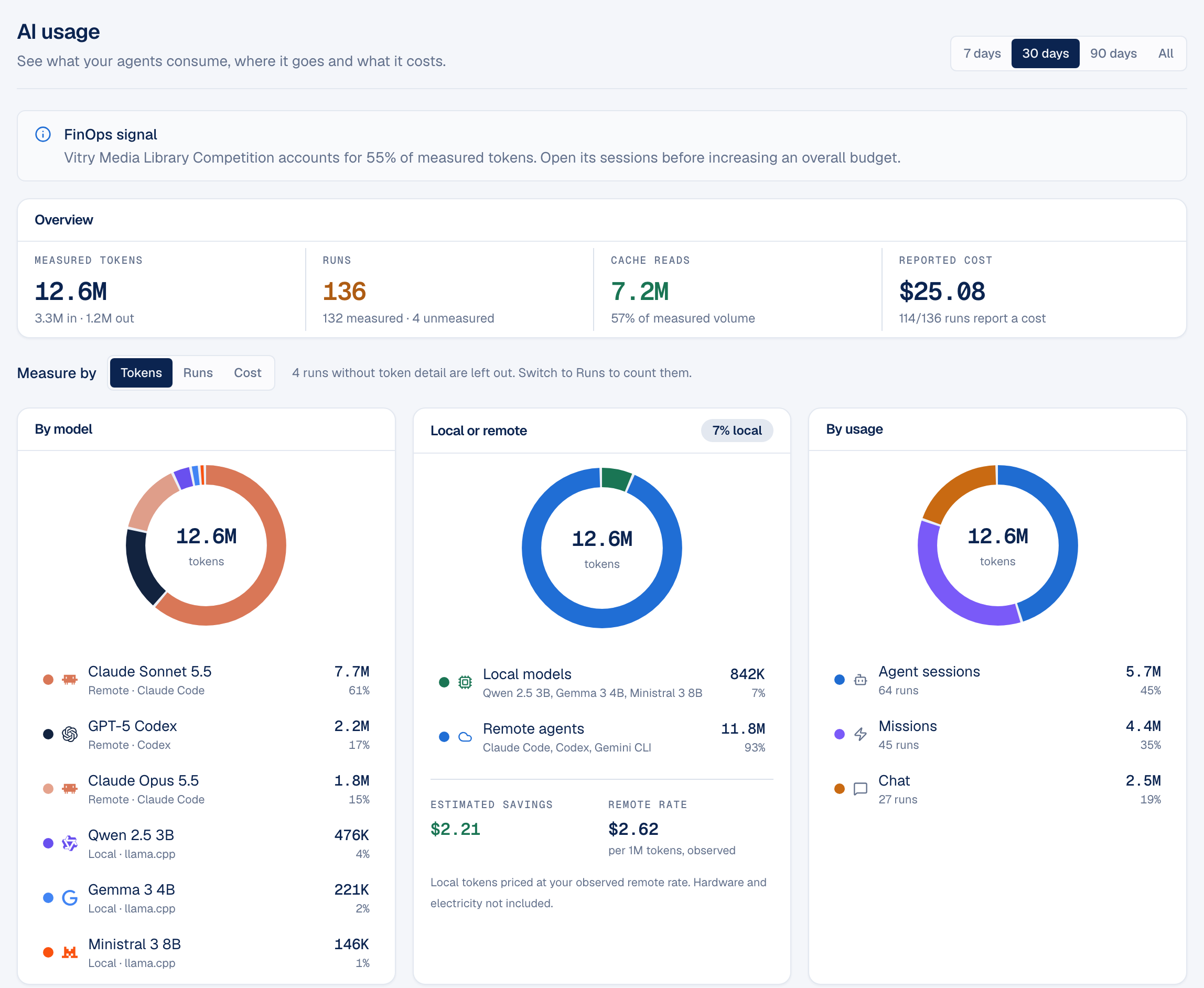
Claude Code reports its token usage and cost at the end of each run, in the terminal where it ran. Once you work across several client projects, that information is scattered across sessions you have already closed. You can see a monthly total from your provider, but not which project, client or task consumed it.
Pandore keeps that record for you. Every run started from Pandore is attached to a project, a client and an agent, and its measures are stored locally, in the same file as the rest of your workspace.
Each model with its logo: Claude Sonnet, Claude Opus, GPT-5 Codex, or a local Qwen, Gemma or Mistral model.
See how much work stayed on your computer and how much went to a provider, with savings estimated at your own observed rate.
Agent sessions, Missions and chat, side by side, so you know which way of working costs the most.
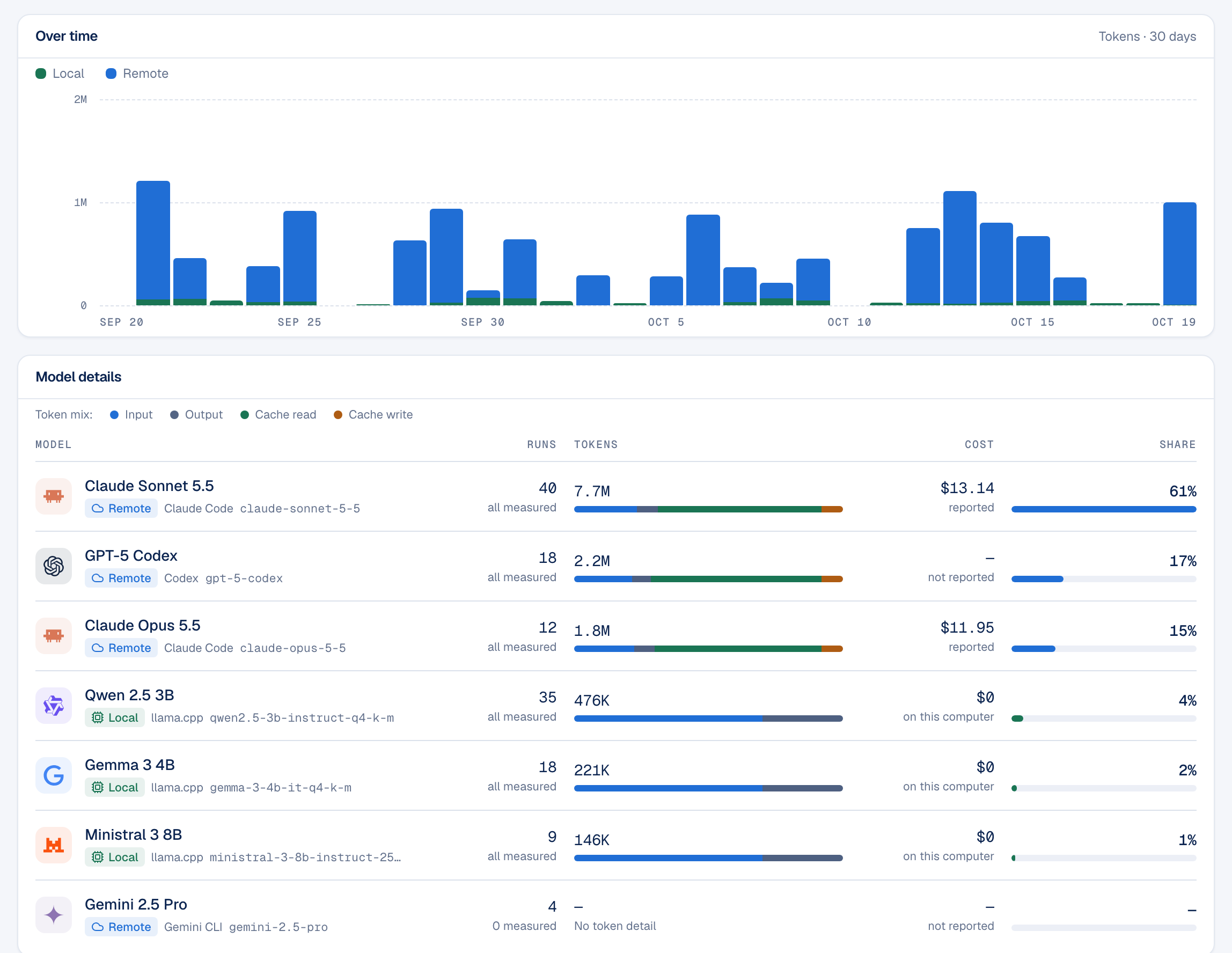
A single switch counts everything in tokens, in runs or in reported cost. The table shows each model's exact identifier, such as claude-sonnet-5-5, next to its readable name, and splits its tokens into input, output and cache. A model that mostly re-reads its cache costs far less than one that receives new context on every call, and the bar shows the difference at a glance.
Set a token or cost budget for the whole workspace, for one client or for one project, with a warning threshold. Pandore shows when a budget is getting close to its limit and when it is exceeded. Missions also have their own spending cap, and pause when they reach it until you decide to continue.
The dashboard is not limited to Claude Code. Runs from Codex and Gemini CLI appear in the same charts, with the detail each CLI actually reports: Codex reports its tokens but not a cost, and Gemini CLI runs are counted as unmeasured. Pandore's 43 downloadable local models report their tokens and cost nothing per call.
Questions
No. Usage is stored in the local file that holds your Pandore workspace. There is no Pandore account and no Pandore server.
No. Pandore runs the Claude Code you already use, with your own Anthropic account. It only reads what Claude Code reports at the end of each run.
From Claude Code itself. When a CLI does not report a cost, Pandore shows the cost as not reported rather than estimating one.
Runs started from Pandore: agent sessions in a project, Missions and chat replies. Runs you start in a separate terminal are not tracked.

Free for Mac and Windows. Bring your own Claude Code account.
Version 0.9.0 · free · macOS 11+ Apple Silicon · Windows 10/11 x64